Finance
The Finance module (part of the Enterprise plan) is your full money picture — everything coming in, everything going out, and the reports on top. Finance → Dashboard opens on the headline numbers: revenue collected, outstanding invoices, and recent activity. It's where the accountant and the administrator work; the screens are permission-gated, so other staff don't see the money.
Billing is core; the module adds the machinery
Raising invoices and taking a payment happens on every clinical screen via the invoice chip (Billing) — no Finance module needed. The Finance module adds expenses, payouts, claims, assets, P&L, and settings, which appear when your plan includes Finance (the Enterprise plan).
Collecting on an invoice
Finance → Invoices lists every invoice with search and filters by patient, status (Unpaid / Partial / Paid / Cancelled / Refunded), and date. The top cards total invoices, paid, outstanding, and overdue.
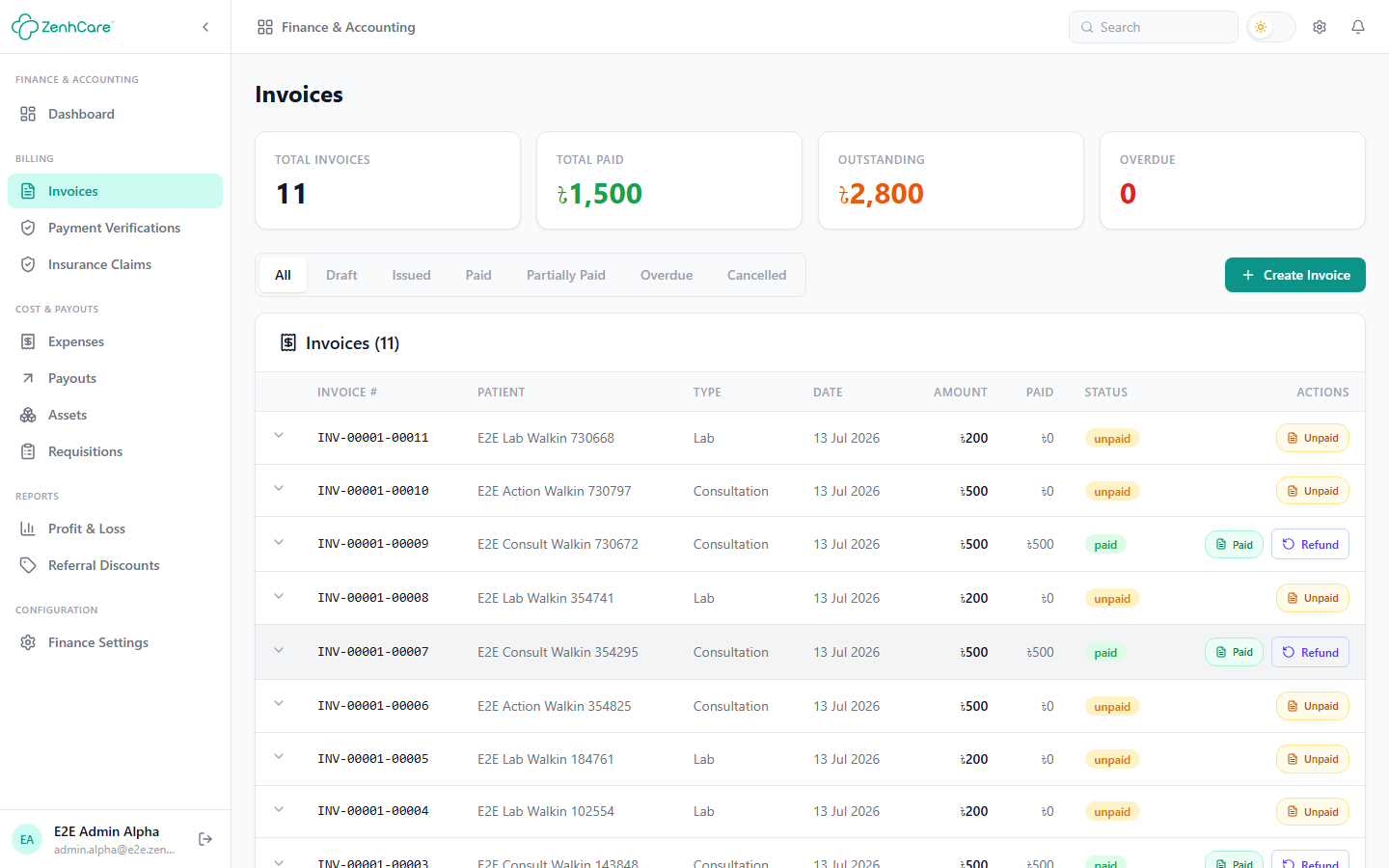
To take a payment, open the row's status chip → Collect payment → choose the method (cash, a manual method like bKash/Nagad, or an online gateway) → full or partial → Record payment. The balance drops and the status updates. You can also print the invoice (on your branded template with your hospital's numbering) or apply a discount before any money is taken.
Verifying staff payments
When a staff member who lacks the verify permission records a manual payment (a receptionist taking cash, say), the money is held pending verification — it isn't counted yet. Clear the queue under Finance → Payment Verifications:
- Open a pending item — you'll see who recorded it, the amount, the method, the transaction reference, and any note.
- Verify & record to finalise it (the revenue now counts), or Reject to discard it (nothing moves; the staffer sees your note).
This lets the front desk take cash all day while a supervisor keeps the final say.
Recording expenses
Finance → Expenses is the money going out — rent, utilities, supplier bills, salaries paid. Add one with a category, amount, and date. Some expenses post automatically: receiving a pharmacy purchase order records its cost here, and settling a payout writes the matching expense. Depending on your settings an expense may need approval before it counts, and everything here feeds the P&L.
Settling payouts
Finance → Payouts is the single place to settle what the hospital owes people — gathered automatically from across the app as money is collected:
- Doctor fee shares — a fee-share doctor's cut of the consultations and procedures they did.
- Referral payouts — a referrer's agreed split of a lab, OT, or pharmacy invoice.
- External-lab payables — the cost owed to an outsourced lab.
- Duty / visiting doctor per-shift pay from the roster.
Each payable accrues when the underlying invoice is paid; when you settle it here, ZenhCare records the corresponding expense so the books stay in sync. Assets tracks capital equipment, and Requisitions handles internal purchase requests that need approval.
Refunds
How you refund depends on how the patient paid:
- Online (gateway) — open the paid invoice → Request refund (full or partial). It goes to ZenhCare's super administrators to process against the original transaction; the invoice shows Refund requested, then Refunded.
- Cash / manual — there's no gateway transaction to reverse, so handle it at the desk per your refund policy (window, maximum percentage, required note), configured in Finance Settings.
Reports
Finance → Profit & Loss nets revenue (collected invoices) against expenses for a period you choose (from / to), and breaks revenue down by source — consultations, lab, pharmacy, IPD, OT. The figures are cash-basis where it matters, so the P&L reflects what was actually collected, not merely invoiced. Referral Discounts reports discounts and their referrers, and the Analytics area visualises patient flow and operations over time.