OPD — the outpatient queue
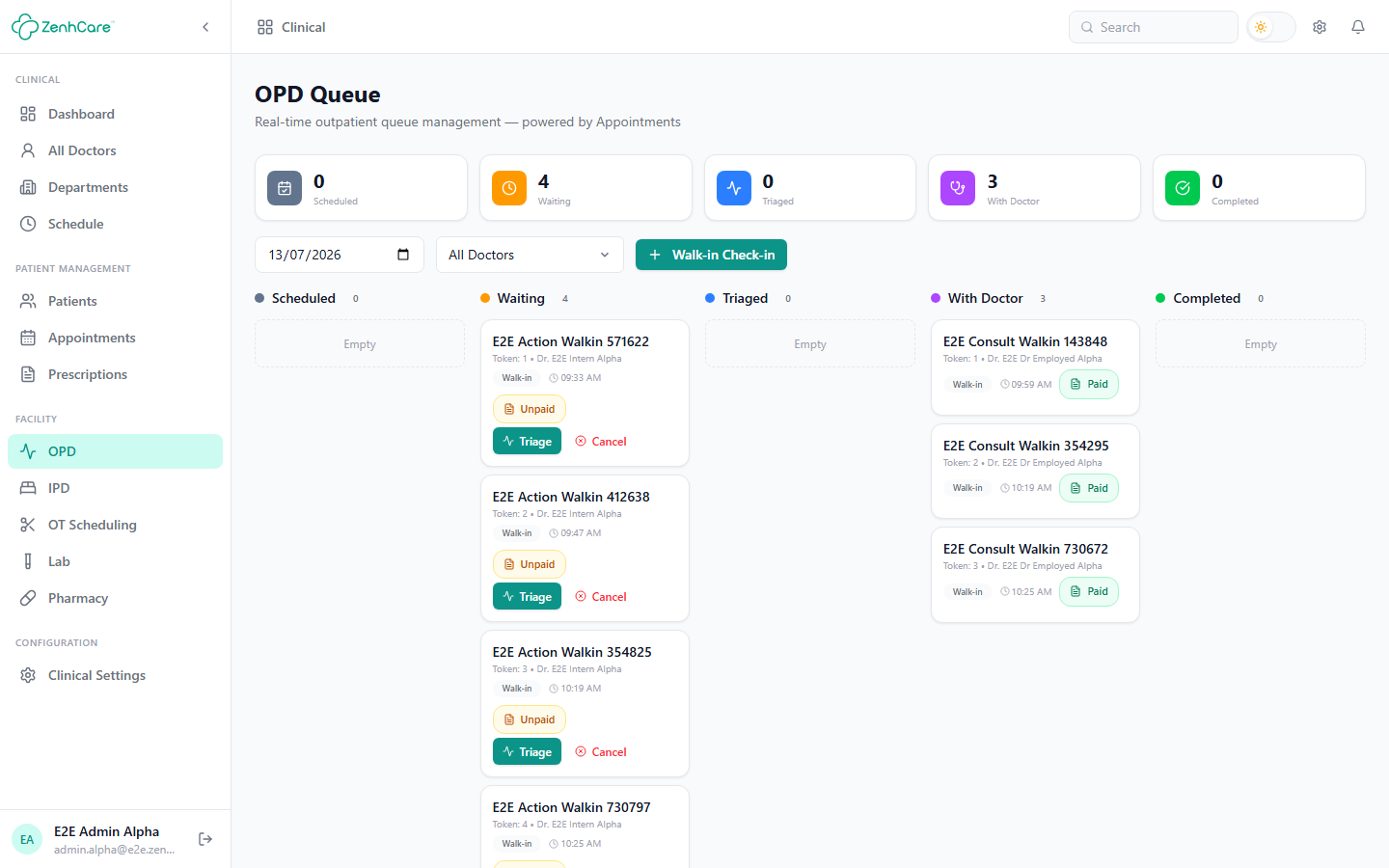
Clinical → OPD is a live board of everyone in the outpatient flow today, organised as columns the patient moves through left to right:
Scheduled → Waiting → Triaged → With Doctor → Completed
The counters across the top show how many are in each stage; the date and doctor filters focus the board.
Checking in a walk-in
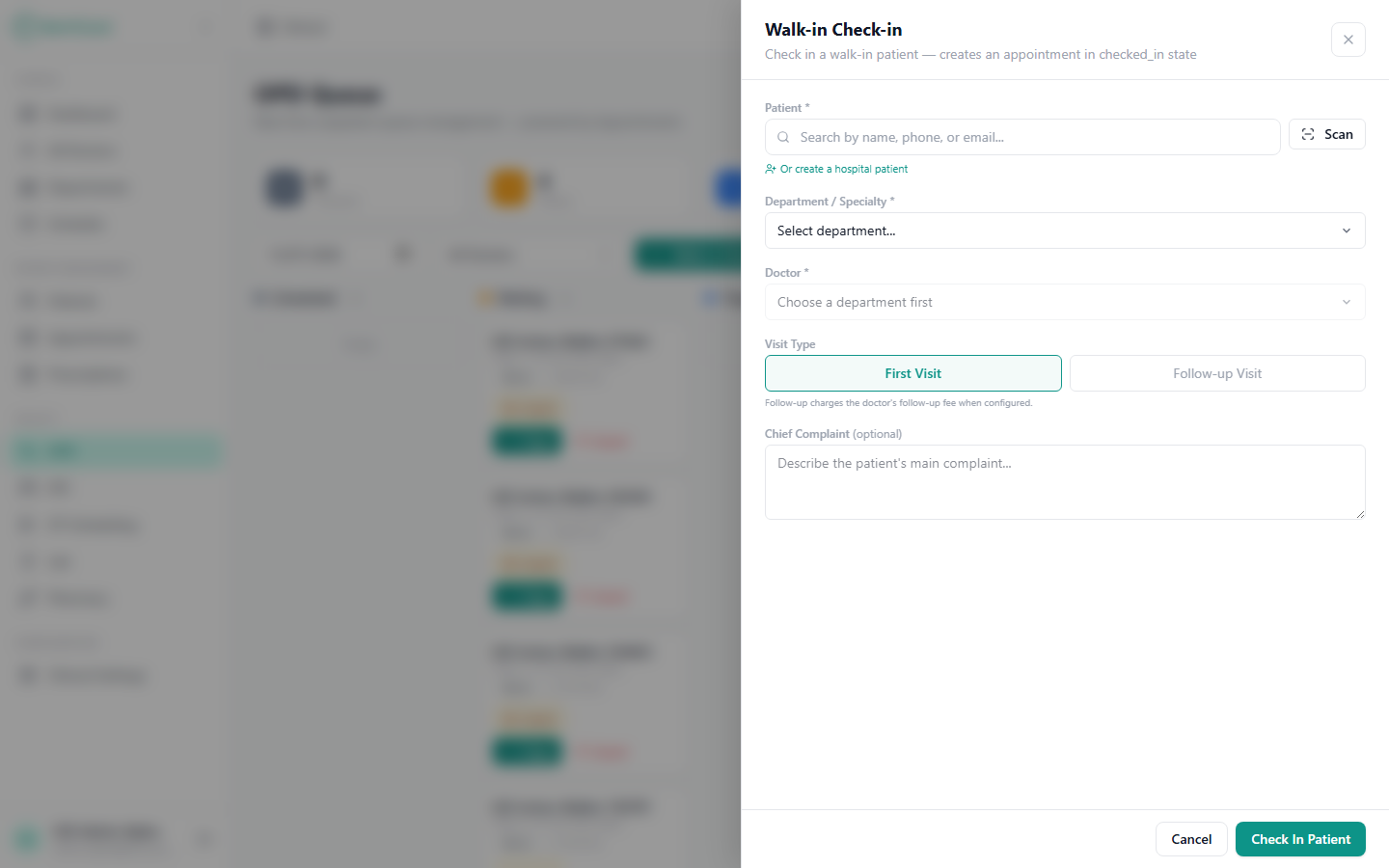
Walk-in Check-in adds someone to today's queue:
- Search or create the patient.
- Pick a department, then a doctor in it (the doctor picker fills in once a department is chosen).
- Optionally set a visit type (first visit / follow-up) and chief complaint.
- Check In. They appear in Waiting, and a consultation invoice is raised automatically.
The payment gate
If your hospital enforces it, an unpaid visit can't be triaged or started until the fee is collected — you'll be told payment must be cleared. Clear it from the patient's invoice chip → Collect payment; once it reads Paid, the queue moves again. Full detail: Billing & the payment gate.
Working the queue
| Column | Action | Who |
|---|---|---|
| Waiting | Triage — record vitals and move them on | Front desk / nurse |
| Triaged | Start — begin the consultation | Doctor |
| With Doctor | Done — finish the consultation | Doctor |
| Waiting / Triaged | Cancel — pull the visit with a reason | Front desk / admin |
Start and Done are the doctor's
Anyone can triage, but only a doctor can Start and complete a consultation. The doctor does this from their own workspace — see For doctors — which opens the prescription canvas for that patient.
A typical walk-in, start to finish
- Reception checks the walk-in in to Dr. X in General Medicine.
- Reception collects the consultation fee on the invoice chip → Paid.
- Reception triages — the patient moves to Triaged.
- Dr. X sees the patient in their appointments, clicks Start — the consultation canvas opens.
- Dr. X writes the prescription and completes the visit — it lands in Completed.
Related
- Billing & the payment gate
- Clinical setup — departments, doctors, schedule, fees.
- For doctors — the consultation side.