Patients
ZenhCare works with two kinds of patient, and almost every clinical screen supports both. Getting this straight makes the rest of the app obvious.
The two shapes
| Platform patient | Hospital patient | |
|---|---|---|
| ID looks like | PAT_… | HPAT_… |
| Can log in? | Yes — on the mobile app | No — walk-in only |
| Created by | Signing up on the app, or an admin | Your front desk, at registration |
| Good for | Ongoing patients who book and pay themselves | Walk-ins, one-off visits, anyone without a smartphone |
Wherever a name appears, a badge marks which type it is, so you never have to guess.
You don't manage the difference — the app does
Prescriptions, lab orders, admissions, pharmacy sales, invoices, and notifications
all work for either type automatically. A hospital (HPAT_) patient simply has no
login and receives no app notifications. You pick the patient; ZenhCare routes
everything correctly behind the scenes.
The Patients screen
Clinical → Patients is your registry of everyone the hospital has seen — both types, each with its badge. Search by name, phone, email, or ID number, or scan a registration-card barcode to pull someone up instantly.
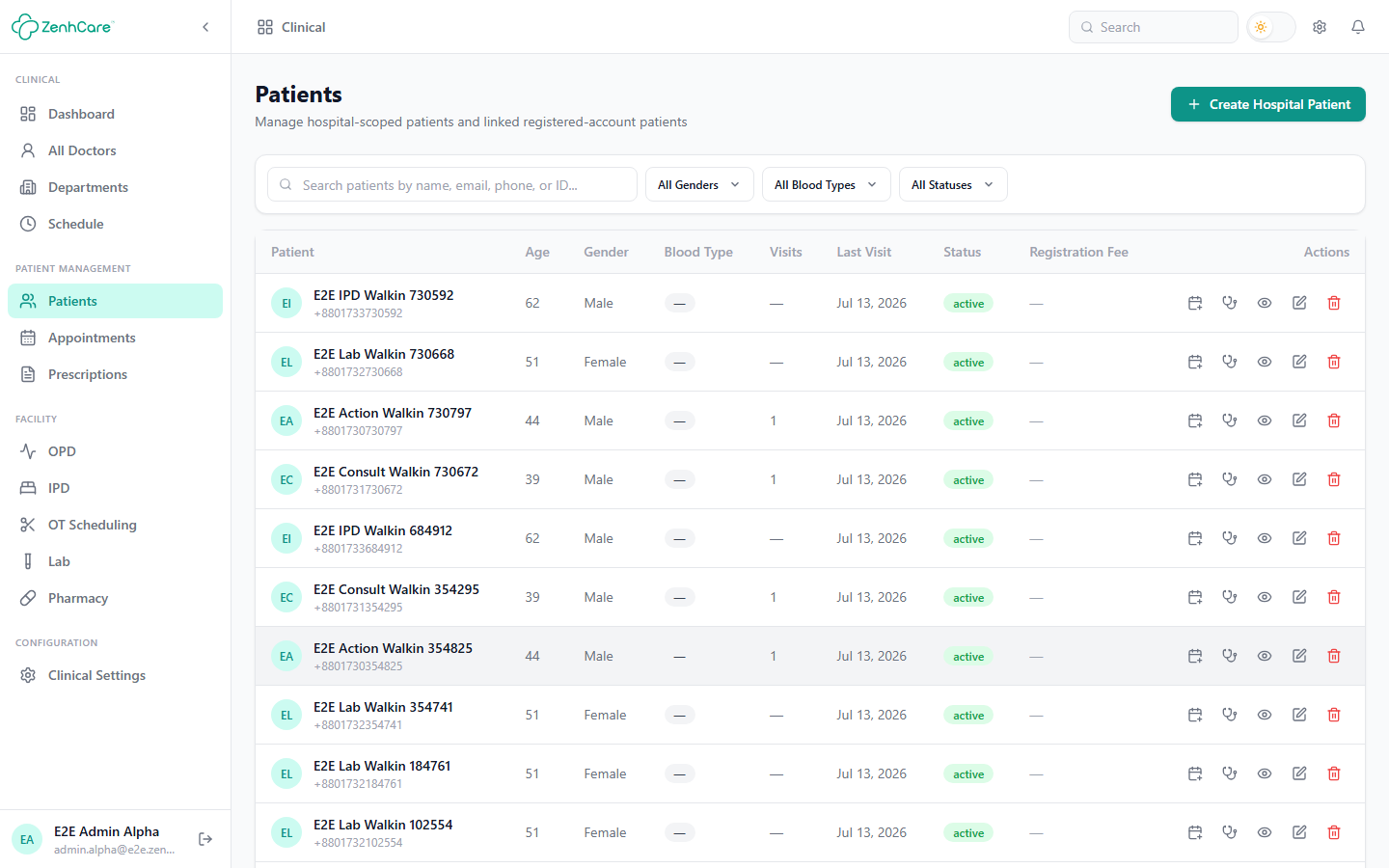
Registering a walk-in
Create Hospital Patient opens a short form:
- Full name (required)
- Phone or email — at least one, so you can reach them
- Age / gender, and an optional ID number (national ID, hospital card, etc.)
Save, and they're immediately available to check into OPD, order labs for, admit, bill, and so on. Every hospital patient also gets a printable registration card with a barcode — scanning it anywhere a patient search appears pulls them up.
The patient record
Click any patient to open their detail page — appointments and OPD visits, prescriptions, lab orders and results, pharmacy dispensing, admissions, and invoices, all in one place. Quick actions let you start common flows (book an appointment, check into OPD, raise an order) without hunting through the menus.
Promoting a walk-in later
A hospital patient can be linked to a real app account later if they sign up — their history stays intact. Register the walk-in now and keep moving.
Related
- OPD — checking a walk-in into the outpatient queue.
- Billing & the payment gate — billing either patient type.